Into the Thunder
When Beyond the Shores shipped, I had a clear picture of what was coming next. Fleet compositions on top of the newly released ship designer, and army compositions to link together all the different designs you've accumulated in your Library. The features were set.
Then details on Thunder at our Gates got announced.
New division designer. Regimental support. Special forces doctrine overhauled from the ground up. The kind of patch that doesn't just add content, it reshapes the foundation. Everything I had planned suddenly needed rethinking: the designs players had saved, the doctrine trees already built into the tool, the research unlocks. All of it touched.
The original plan was no longer viable. I had to adapt.
That's what this release is. Not the update I had mapped out originally when we left the shores, but a direct response to the storm that hit the moment we sailed into open water. And alongside this change, we're equipping ourselves with the sharpest tools to navigate these uncharted waters.
Adapting to Thunder at our Gates
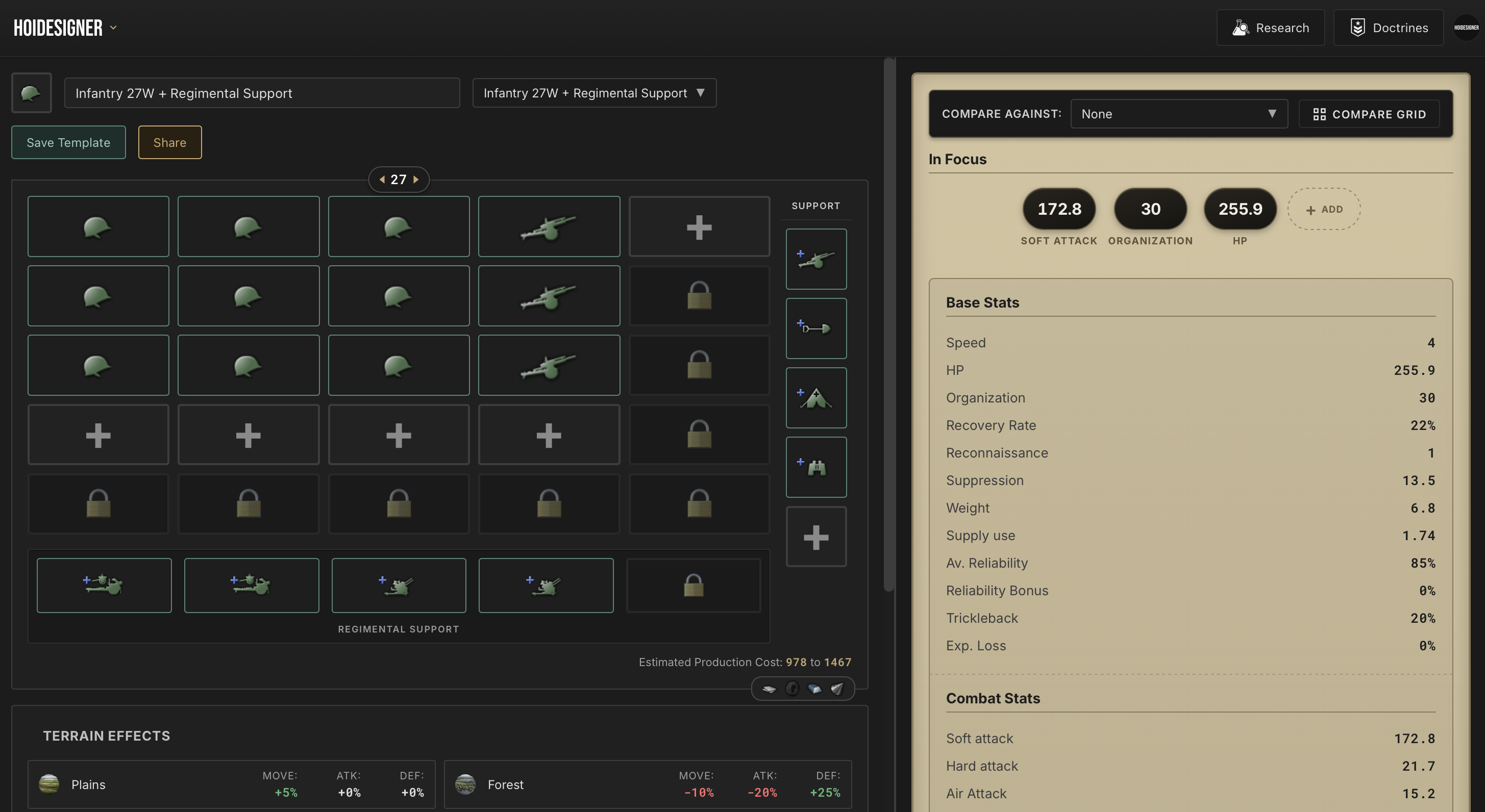
Division Designer, Rebuilt for Regimental Support
The Division Designer has been reworked to match the new update. The layout is updated, the catalog reflects the new structure, and the shareable cards have been updated alongside it.
Regimental Support is now a first-class part of the designer. The new support company units are all in, with updated research trees that capture the new unlock rules introduced with the patch.
If you have older designs, don't worry. They're fully compatible. They'll simply load with regimental support left empty, ready for you to fill in as you see fit and update them.
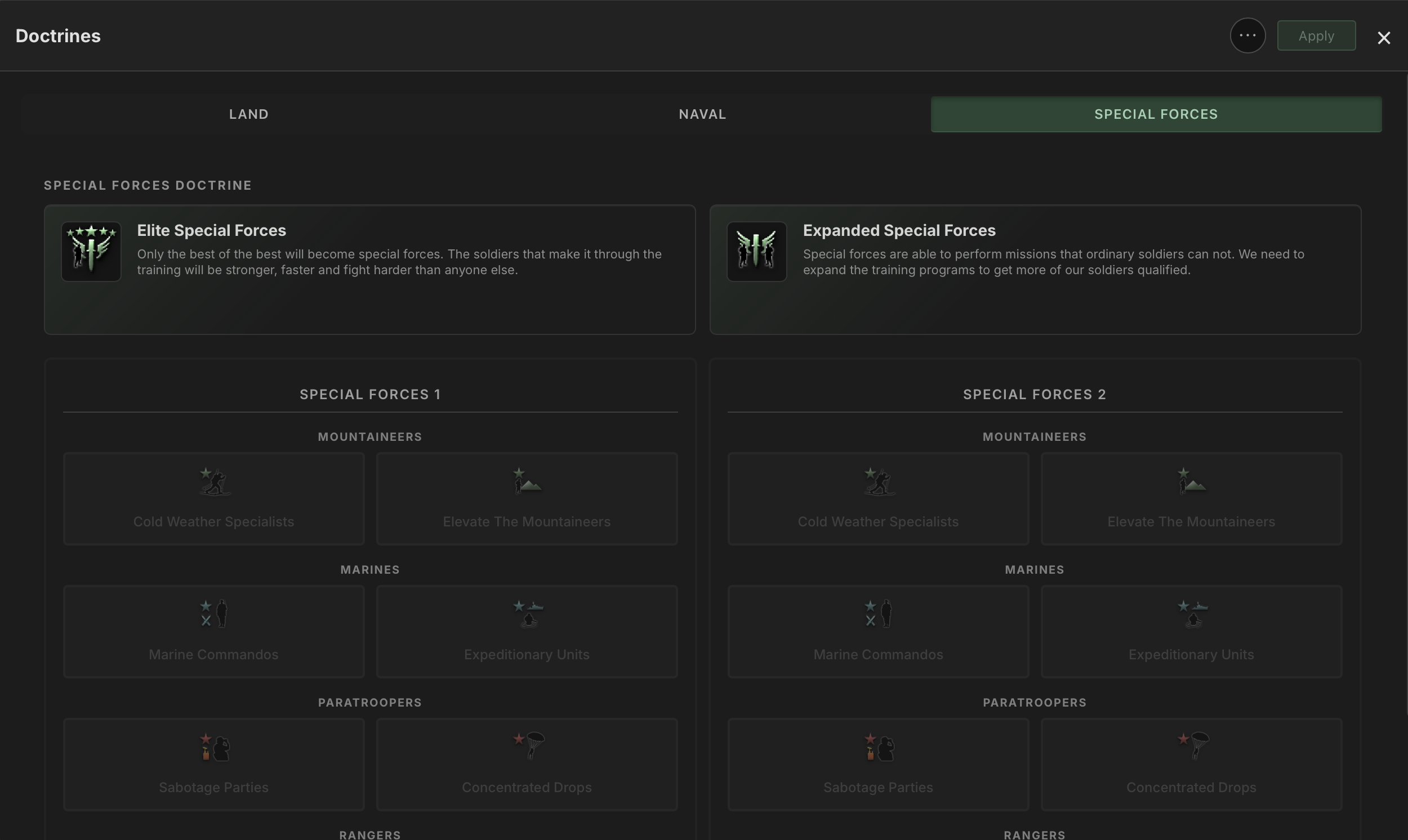
Doctrines, Migrated to the Mastery System
The old special forces doctrine trees are gone. With this update, Paradox moved special forces onto the mastery-based system first introduced in No Compromise No Surrender, and Hoidesigner now reflects that fully.
The new structure aligns special forces doctrines with how every other doctrine type already worked in the tool, which makes the whole system feel more consistent. The trade-off is that the new special forces doctrine system is incompatible with the old one. Any saved doctrines that previously included a special forces selection will load with that selection ignored going forward. A clean break, not a corruption.
The new Dispersed Operations doctrine that comes with Thunder at our Gates has also been added, giving you a new option worth considering in your planning.
Sharper Tools for Uncertain Waters
Adapting to the DLC was one thing. But when the meta moves, surface level stats only get you so far. Deeper tooling is what turns adaptation into mastery.
So alongside the update, I'm shipping a set of tools designed for exactly that.
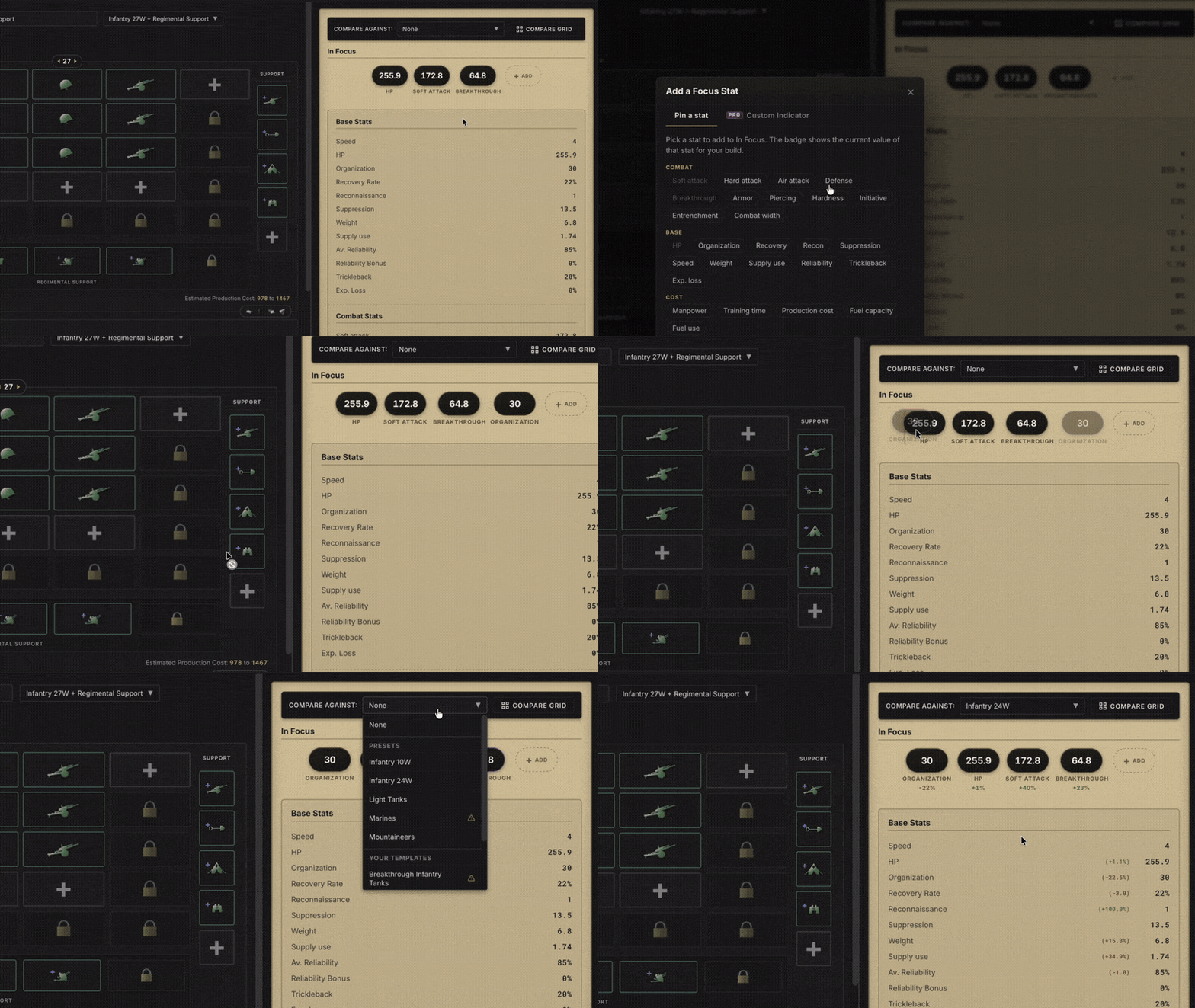
Stats in Focus
The stat panel is now yours to arrange. Pin the stats you actually care about to the top and cut through the noise. Whether you're optimizing for combat width efficiency or keeping an eye on supply consumption, the numbers that matter to your build are always front and center.
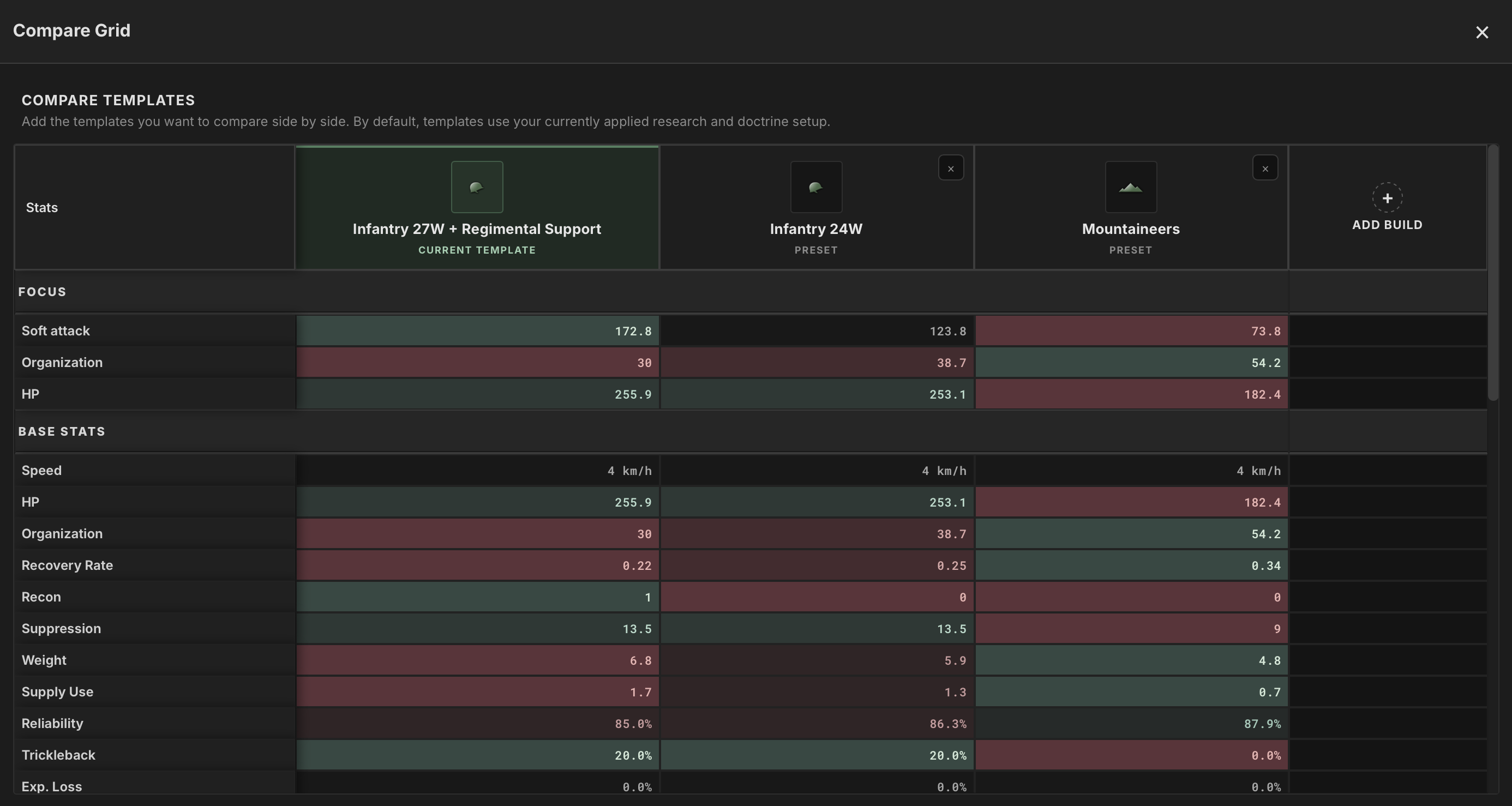
New Comparison Grid
The comparison grid has been rebuilt to be more intentional. You choose exactly which templates go side by side, which cuts the clutter. And for armored builds, you can now swap tank equipment directly within the comparison to see how different loadouts change the shape of your division before you commit.
Design Annotations
Your saved designs can now carry notes. Write down where the template came from, when to use it, what doctrine it pairs with, what it struggles against. Your future self, the one coming back to the game three weeks after a break with no memory of why you built something, will thank you.

Hoidesigner Pro
Some players don't just want to build good divisions. They want to build the best ones, understand exactly why they're the best, and be ready to adapt the moment something changes.
Hoidesigner Pro is for them.
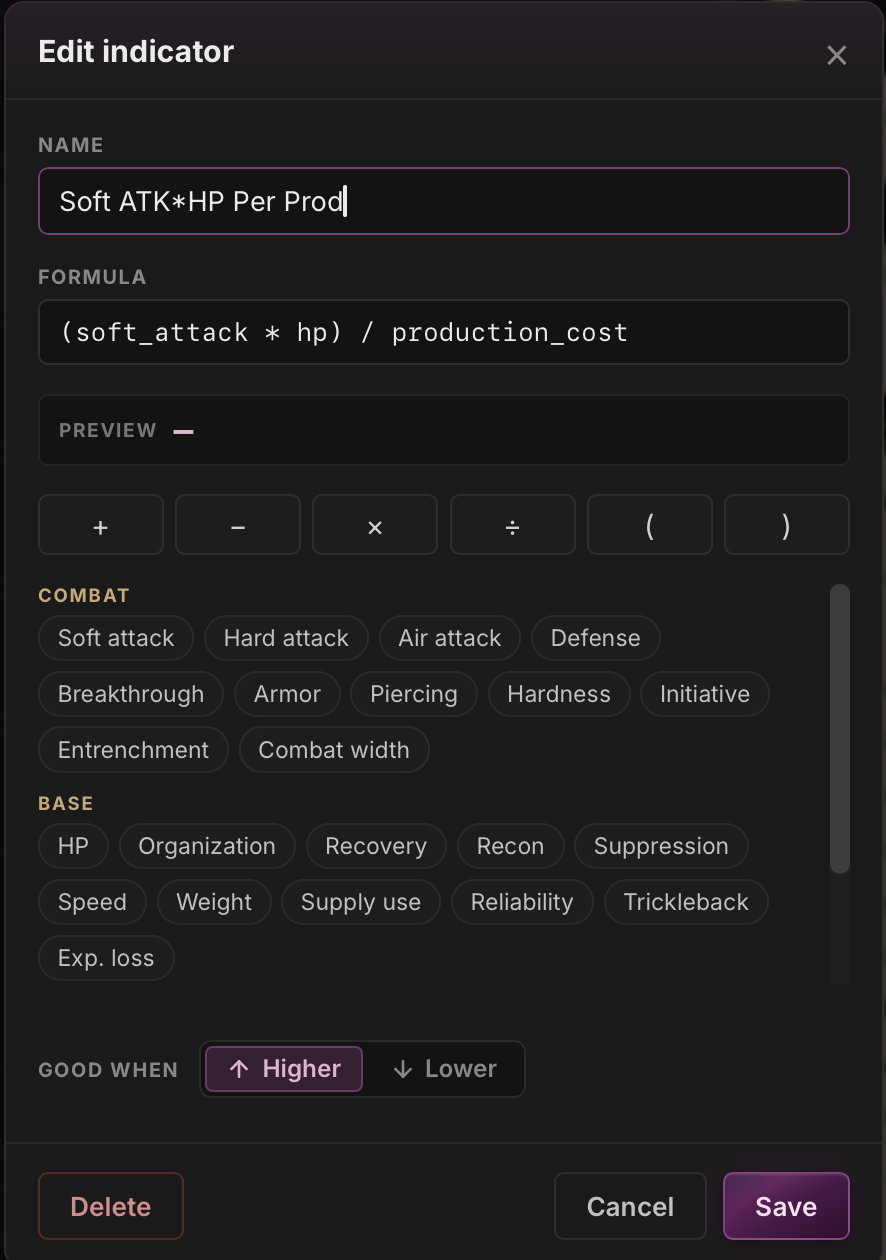
Custom Indicators
Build your own formulas to rate and score designs by whatever metric matters to your playstyle. Define what "good" means for your build, and let the tool surface it.
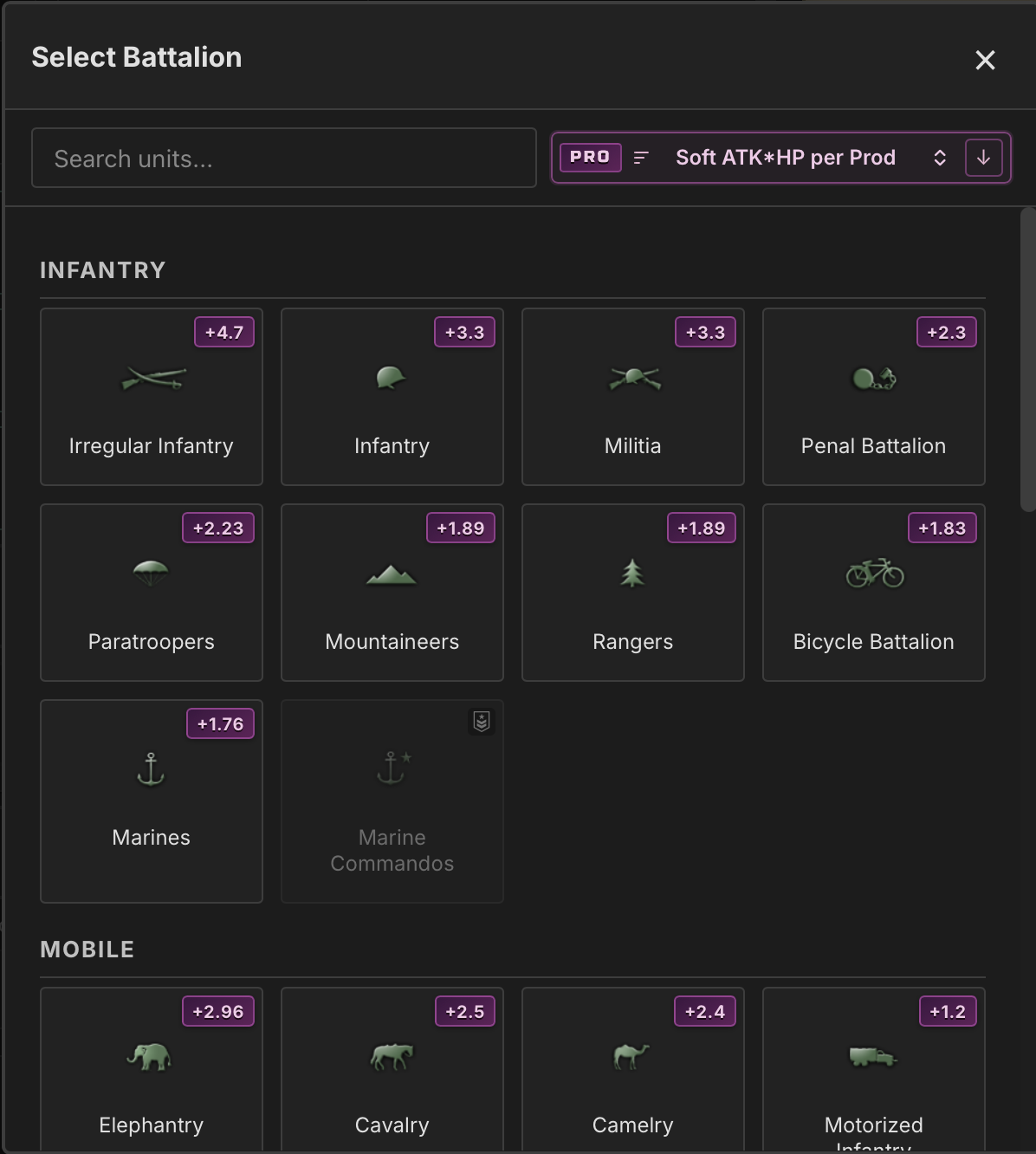
Contextual Unit Sorting
When you're adding battalions or modules, units now sort based on the stat you're trying to optimize. No more scanning through every option manually. The best choice for your goal rises to the top.
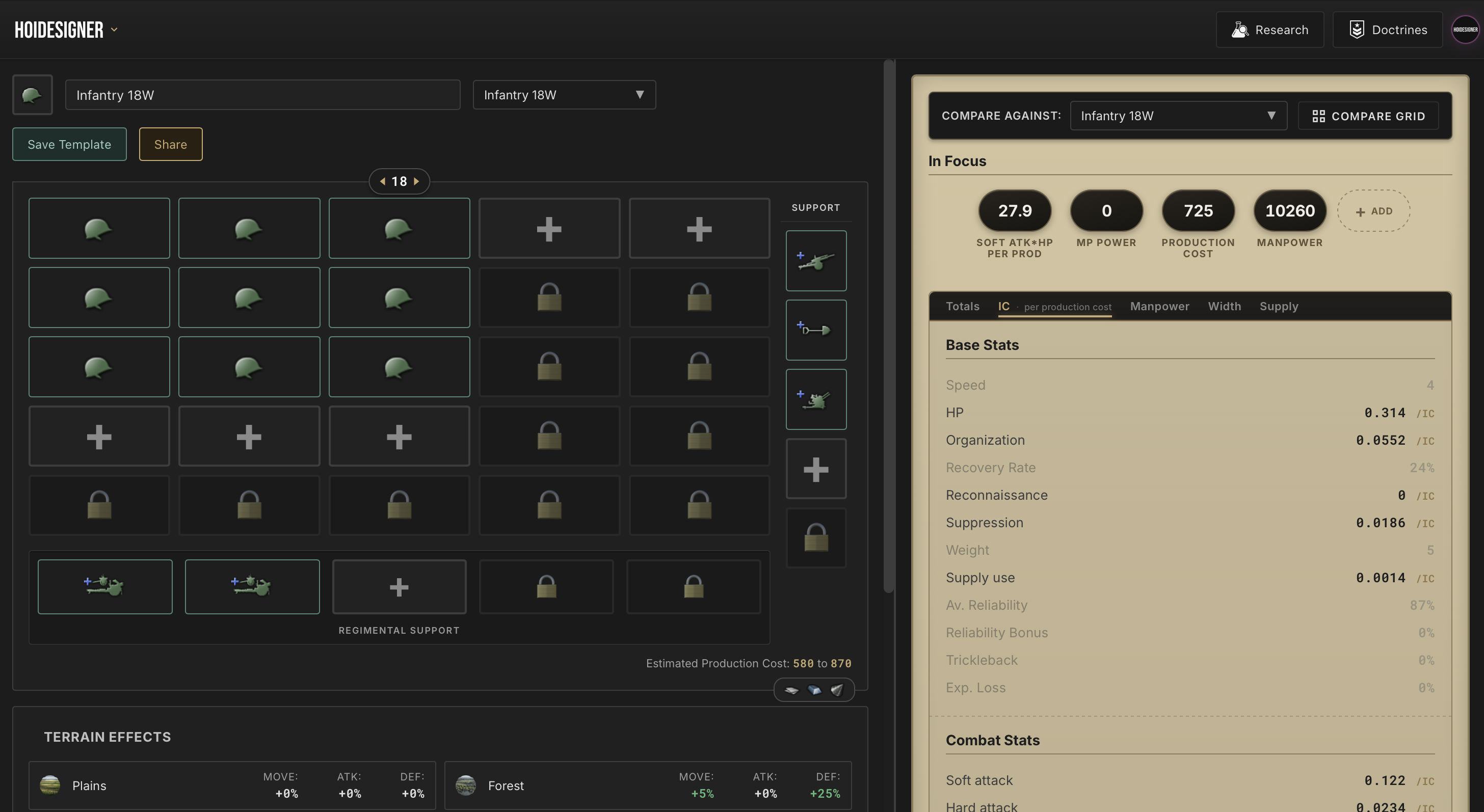
Stats Efficiency View
See your core stats normalized per IC, per manpower, per supply, or per width. Every point of soft attack costs something. This view tells you exactly what you're getting for it.
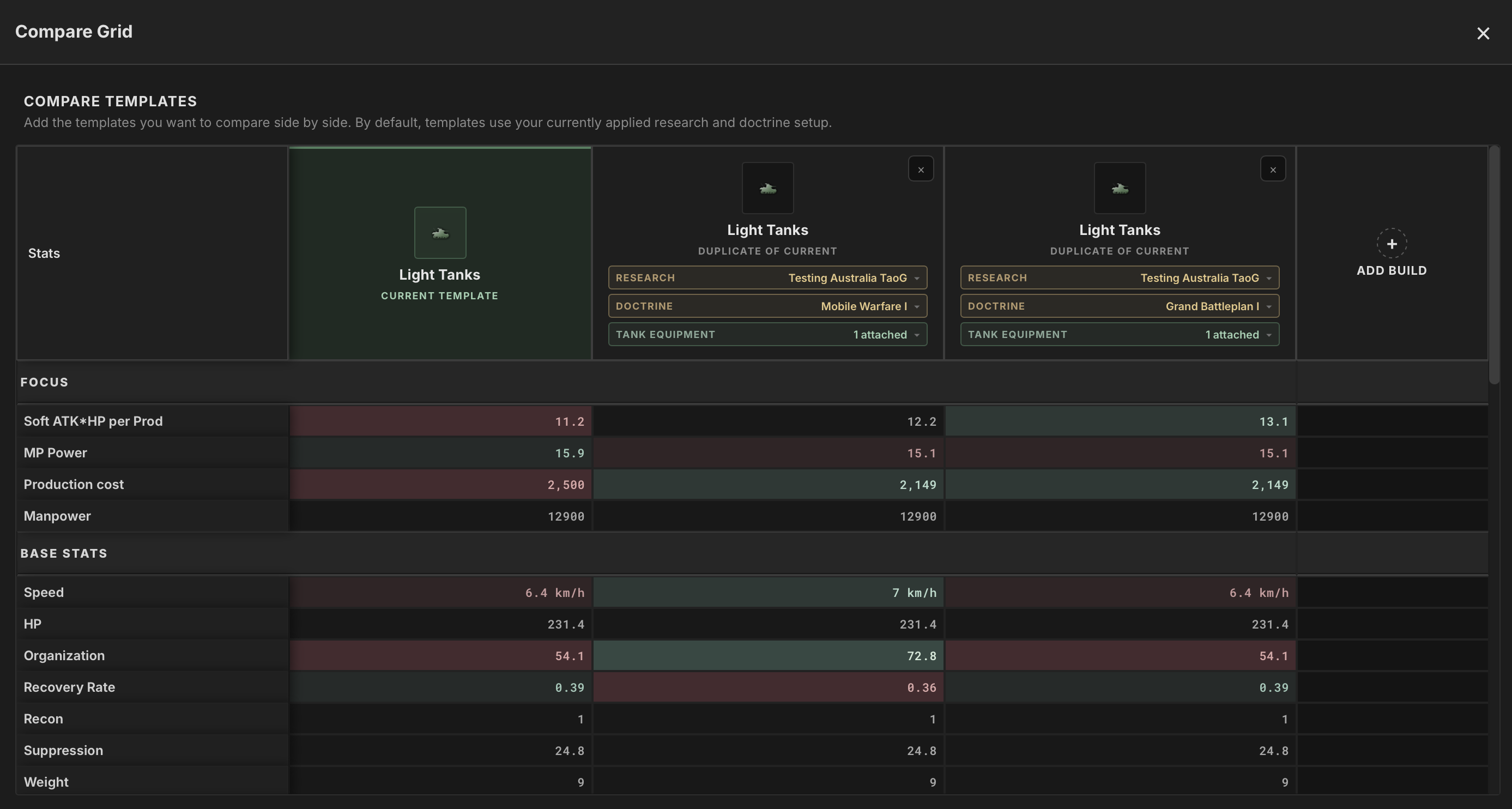
Extended Comparison Grid
Duplicate a build, swap the doctrine, change the tank equipment, try a different research path. Compare all the variations side by side. Map out every shape a design can take before picking the one that fits your strategy.
Pro Badge and Glow
Pro builders get their own badge and glow on community profiles, posts, and comments.
Unlimited Saves
With this release, free accounts move to a Library save limit as we announced in the previous dev log. Pro keeps unlimited saves across the full Library, so trying out more variations never means pruning old ones. Build every combination you want to try, save all of them.
A note on sustainability
Building and maintaining Hoidesigner takes real resources, and I have a lot more I want to build on top of what's here. Pro is what funds the next wave. Every subscription goes straight into development and makes the bigger features I have planned actually possible. If you've been getting value out of Hoidesigner and want the sharpest tools as they ship, this is the most direct way to get them and to keep this project moving.
What's Next
Since leaving the shores, we've been in genuinely uncharted territory. The DLC update changed the division designer foundation, and adapting fast was the only way to survive.
This monthly release was reactive but also fortifying. The next one will be deliberate. I want a few weeks of you using these new tools before I commit the next direction, and I'll be on Discord sharing my thinking as it develops and getting your input on what to prioritize. If you've been using the new features and have thoughts on what's missing, that's exactly the kind of input I'm looking for.
The waters are still unfamiliar. Let's navigate them together and build the best companion app for HOI4.
Until next time!