Coming Ashore
What a journey it's been. We left the shore in May. Since then, we've crossed into naval warfare, charged headfirst into the thunder, and emerged beneath open blue skies with stronger foundations and an Aircraft Designer to show for it. Along the way, Hoidesigner grew from a land-division planning tool into a place where you can design, save, and share creations across every branch of the military.
The journey isn't over. We can see new land ahead, and it may become the base for our next adventure.
This is our foothold. We're coming ashore, and this release closes the loop on several mechanics still missing from a complete and accurate design experience. MIOs and Command Spirits fill two important gaps, while a set of Division Designer improvements brings our focus back to land.
Now let's explore what sits on it.
Military Industrial Organizations
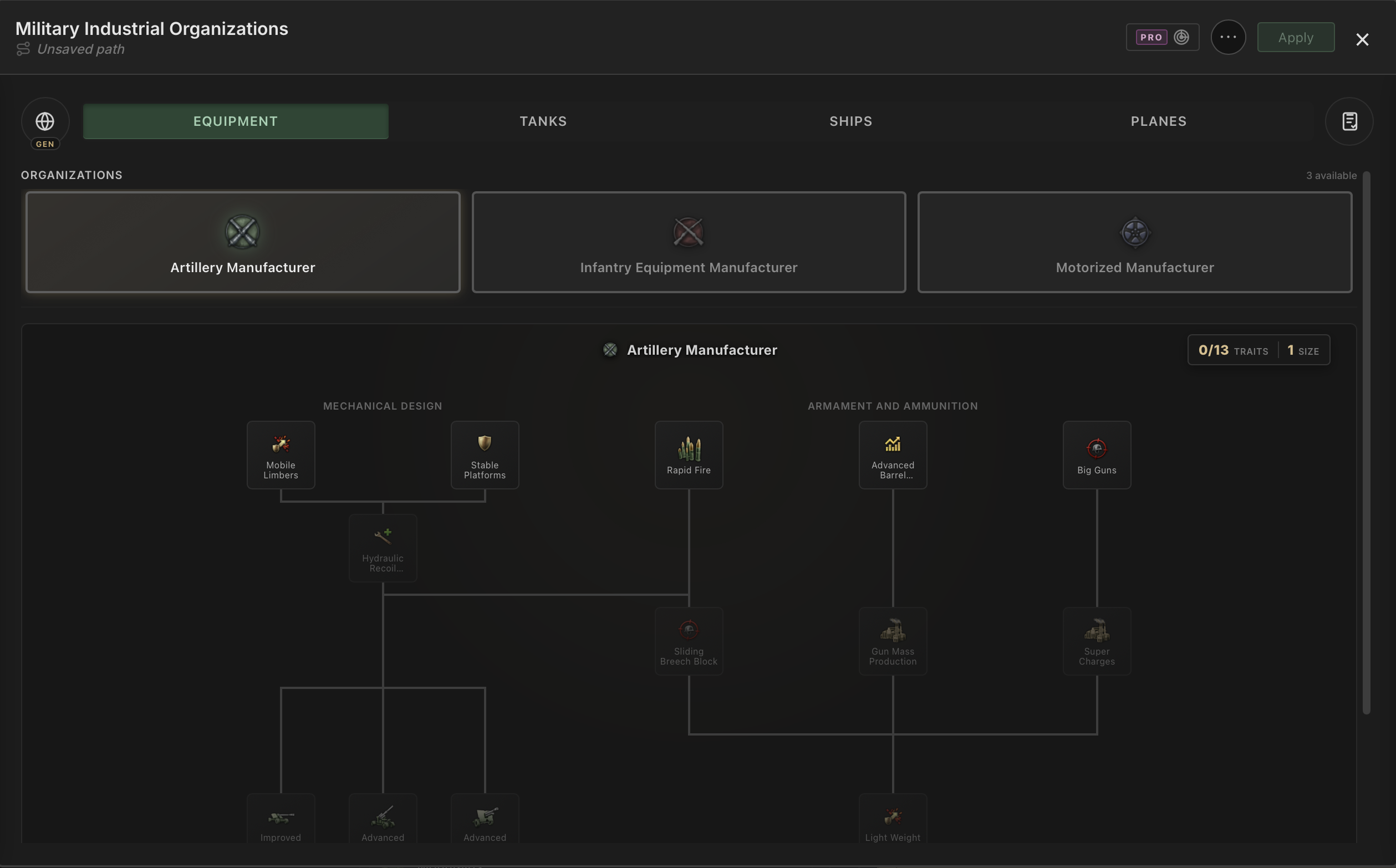
Until now, Hoidesigner enabled you to tailor your designs without fully accounting for some strong modifiers coming from the manufacturers of these equipment. Military Industrial Organizations add that missing layer across every designer, giving you another puzzle to solve when shaping your designs.
Choose a country and you'll get its unique manufacturers alongside every compatible generic organization. Build out their trait trees, choose their policies, and plan the order that best supports your builds.
A saved MIO Path captures the country profile you've selected and every organization you've configured across tanks, ships, aircraft, and equipment. Save it once and load it back whenever you need to reference the same industrial plan in another campaign.
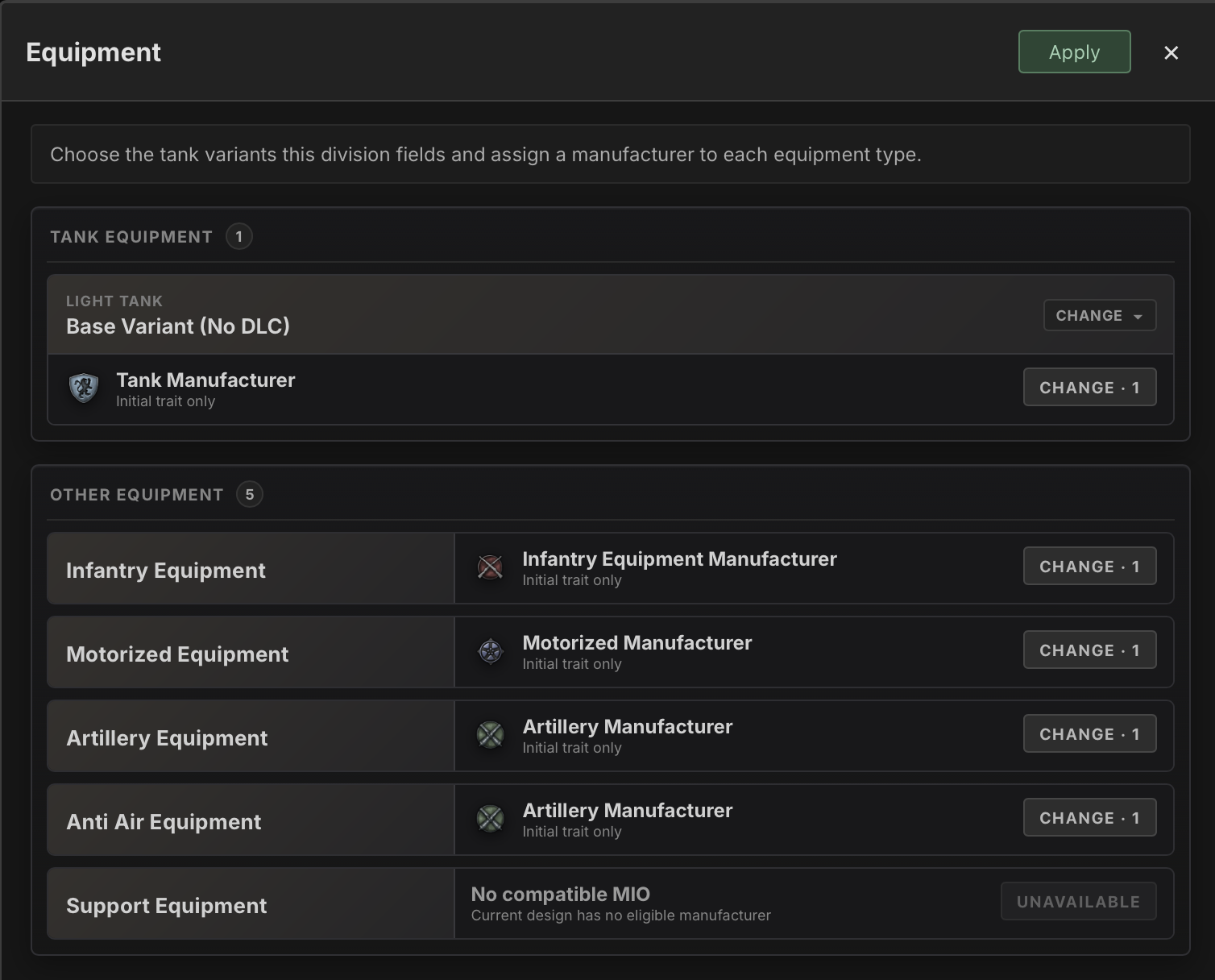
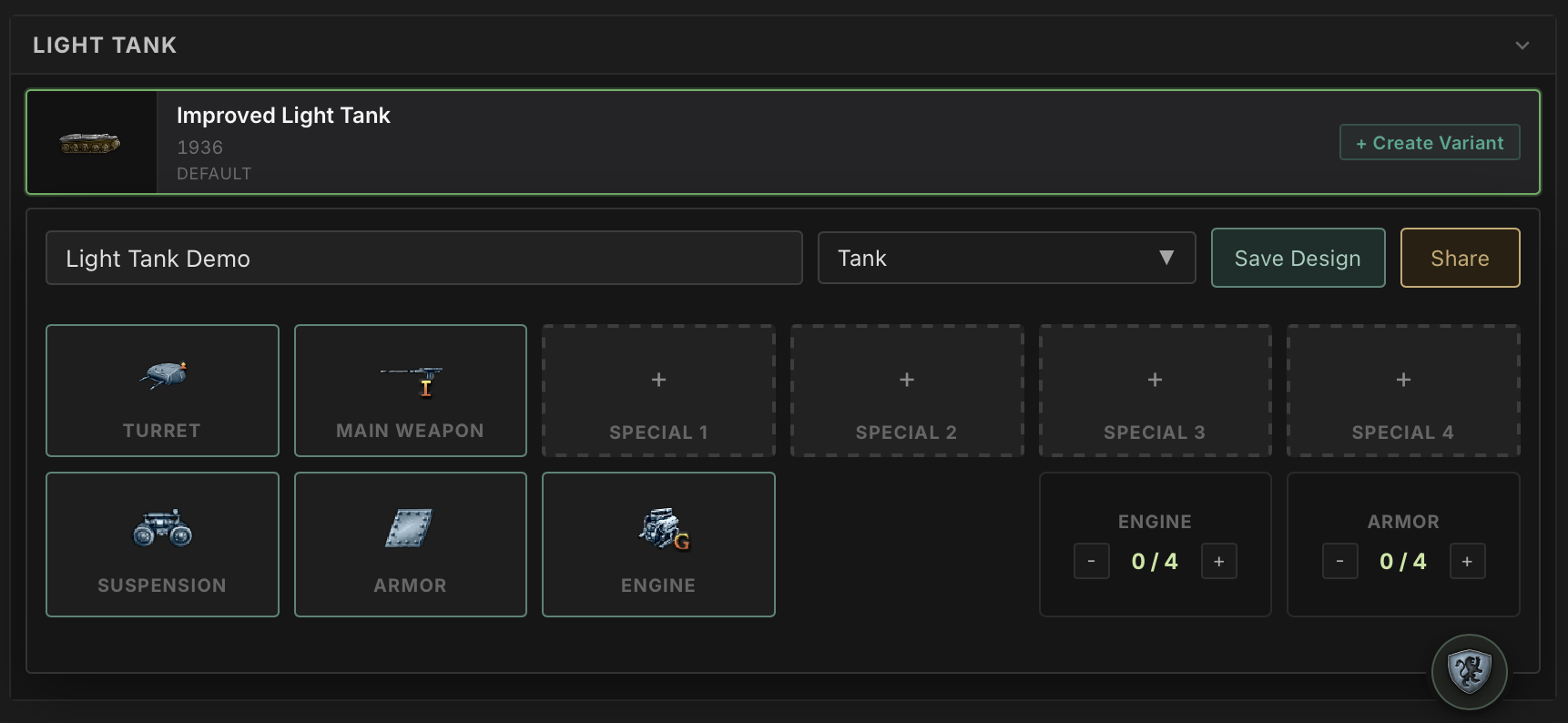
Organizations can be assigned directly while editing a tank, ship, or aircraft design, letting you see how a different manufacturer affects its stats. You can also assign them to the equipment used by your divisions from the Division Designer's Equipment panel. The moment an assignment changes, the relevant stats update with it.
MIOs are now an integral part of building templates and equipment designs. Planning each selection through their trees can make a meaningful difference to the builds you field in your HOI4 campaign.
Command Spirits
MIOs complete the industrial side of a build. Command Spirits fill another gap in the campaign plan surrounding it.
Command Spirits join the Land, Naval, and Air doctrines already in Hoidesigner. Army, Navy, and Air Force spirits are all represented, including their doctrine requirements and the bonuses relevant to the designs you're planning.
They also join your ordered Doctrine Paths. Pick a doctrine, equip a spirit, and the sequence is preserved exactly as you chose it. Save the path and the spirits are stored with it.
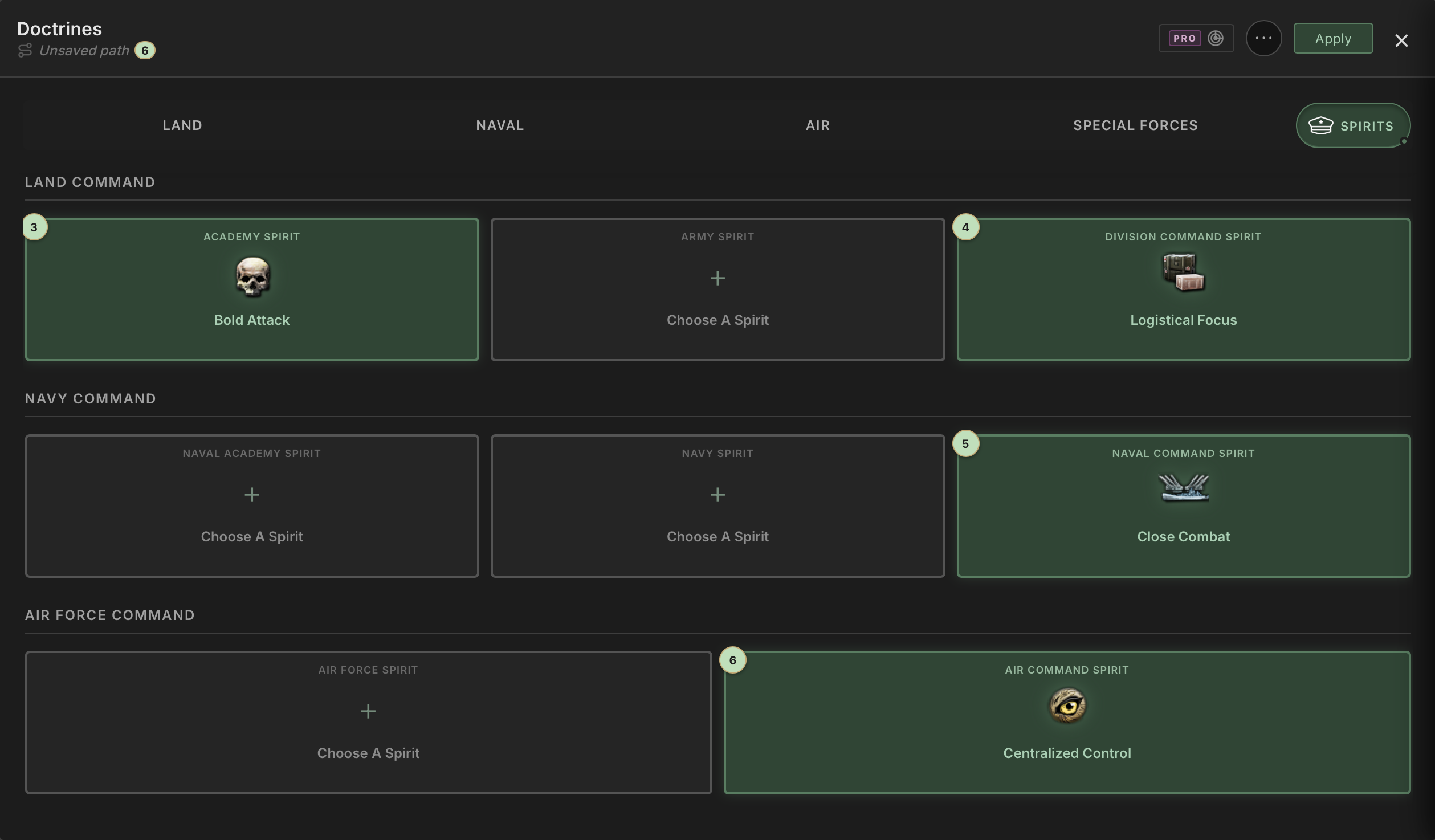
Together with the ordered paths introduced in Open Skies, this brings far more of your campaign planning into a reproducible system: research and special projects retain their order, doctrines and spirits share one interleaved sequence, and each MIO records its traits in pick order.
Whether you're capturing someone else's guide or building your own, you can lay out the plan once and follow it step by step across the different parts of your campaign.
Hoidesigner Pro
Coming Ashore also expands the tools available to Hoidesigner Pro members, both for planning theirs paths and improving what sits at the end of it.
Path Scanner, Extended
Path Scanner now reaches into MIOs and Command Spirits.
Inside each MIO, it can evaluate the organization against the design you're working on and map a trait path toward the stat or custom indicator you care about. Policies are evaluated too, giving the scanner a view of the organization as a whole rather than stopping at its trait tree.
The range of goals available to Path Scanner has expanded as well. Production cost, production efficiency, resource use, factory output, research speed, and other national metrics can now be surfaced wherever a relevant research, doctrine, spirit, or MIO choice affects them. This gives you better guidance when you want to invest in production or industry but aren't sure which unlock will move them forward the most.
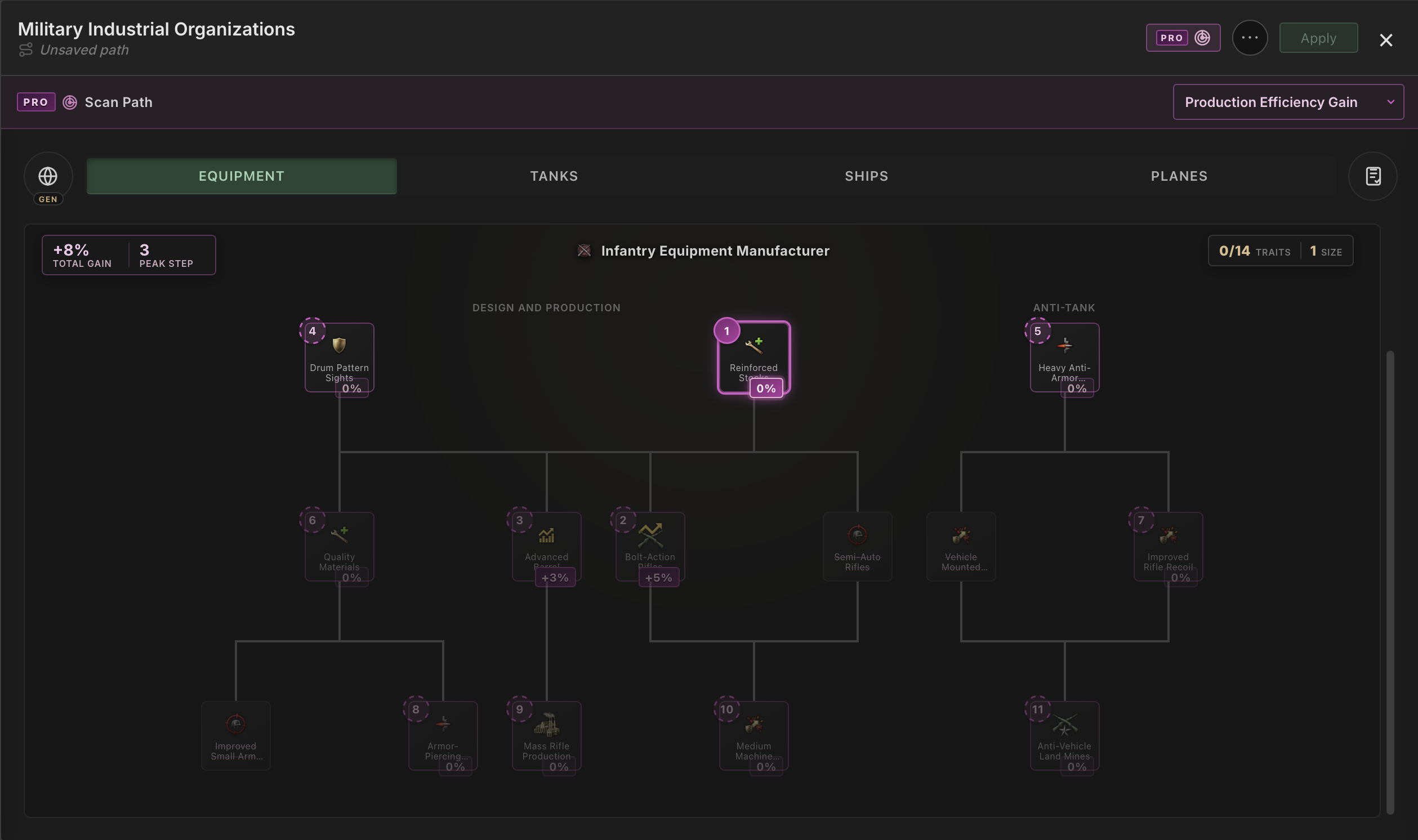
Path Scanner started by answering a simple question: "Which choice moves this build forward?". Now it can answer that question across far more of the campaign surrounding the build.
Your Design Advisor
This opens new territory for Hoidesigner. Instead of only calculating the template you've built, it can now help you find a stronger version of it.
Tell the Design Advisor what you want to improve, how large a change you're willing to make, and which conditions it must respect. It then searches valid template combinations within those boundaries and brings back its strongest recommendations for you to consider.
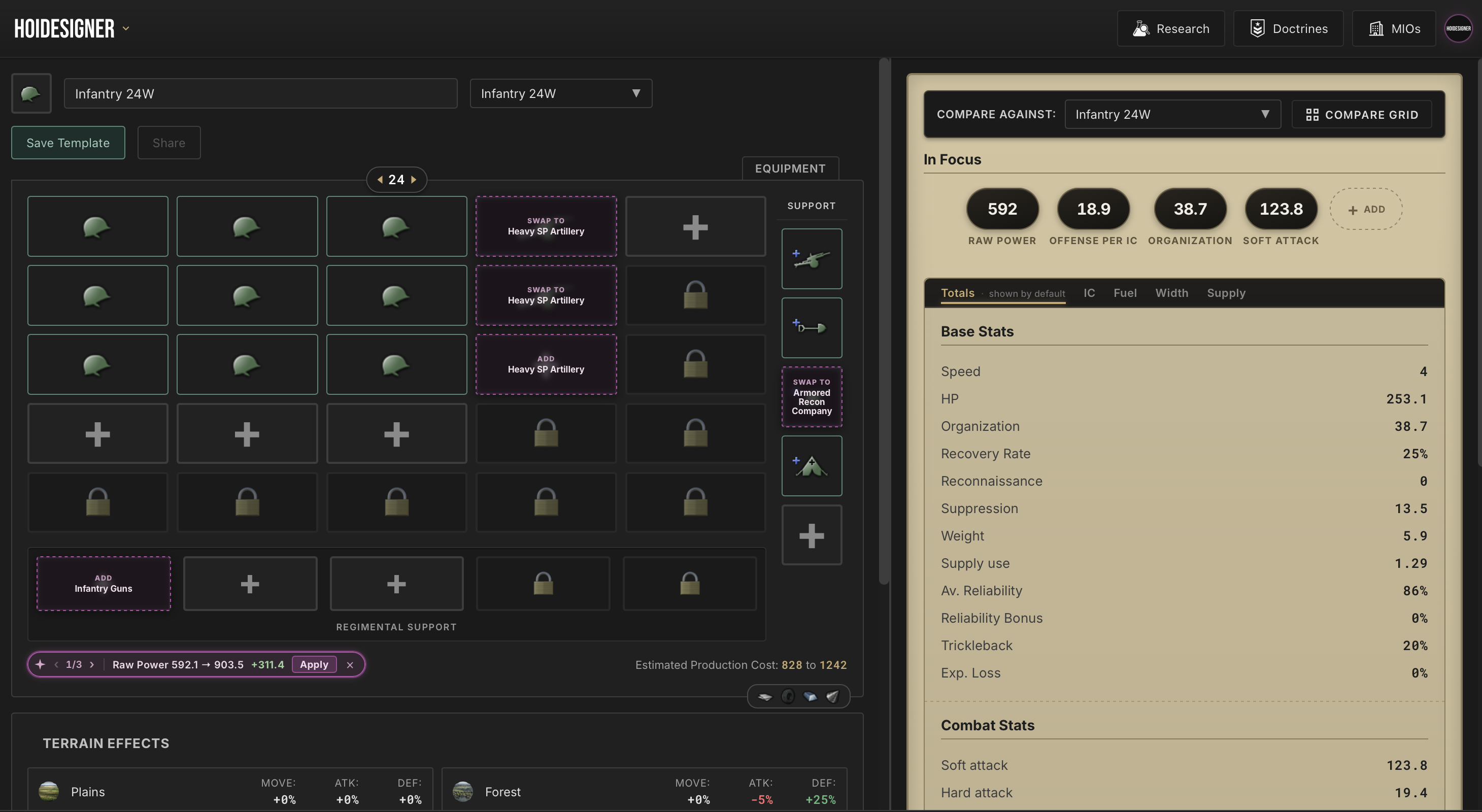
The result lands directly on your division grid. Each suggested addition, replacement, or removal is marked on the slot it affects, alongside the expected stat change. You can browse the best options it found, apply the full recommendation, make the edits yourself, or dismiss it and keep what you already built.
It doesn't decide what a good division means. You do.
The Advisor is the second pair of eyes that keeps checking the details after you've decided what matters, so you can spend your time making strategic choices instead of testing every possible combination by hand.
Terrains Effects
A division can look excellent on a neutral stat sheet and fall apart the moment it reaches the terrain it was actually built to fight in.
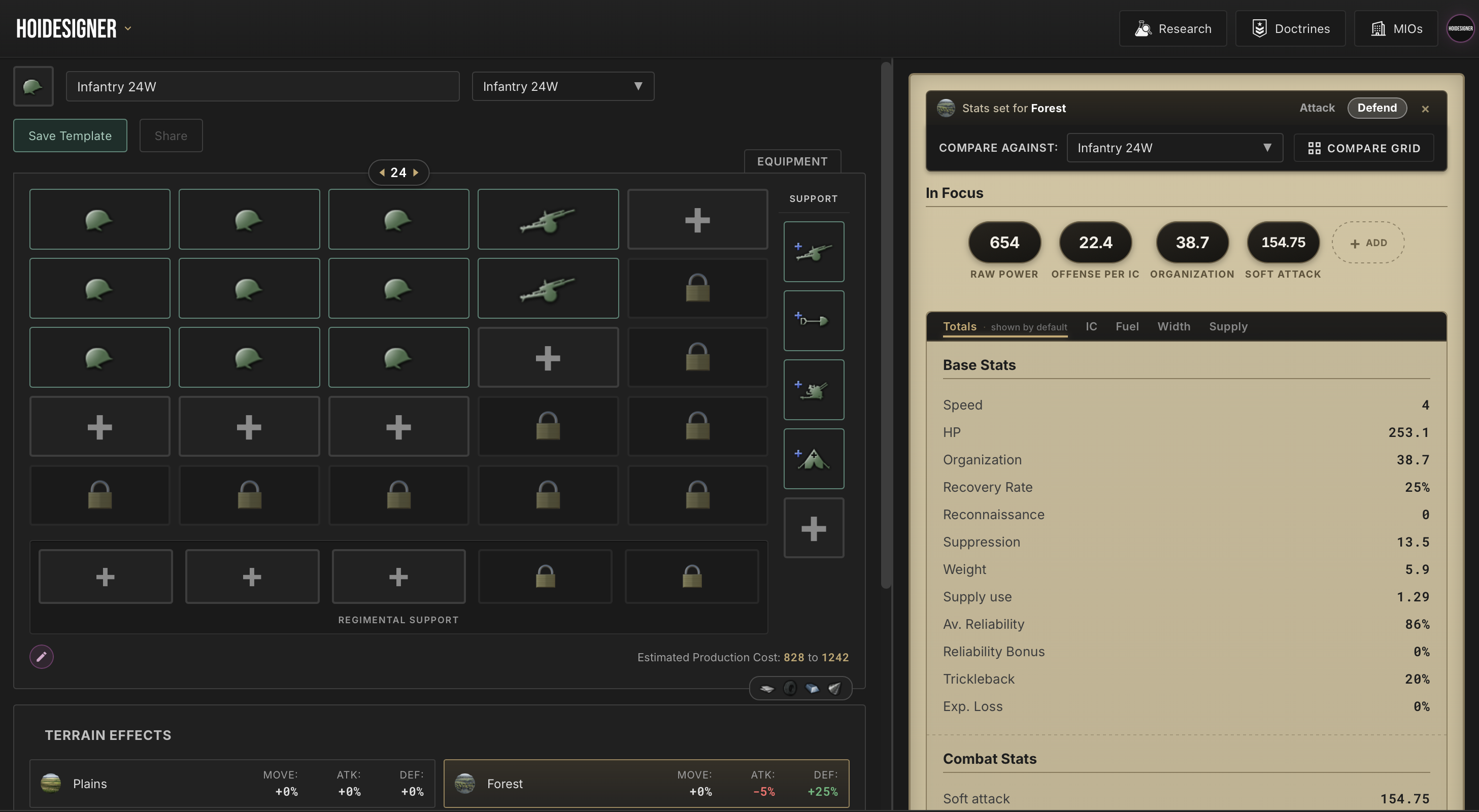
You can now select terrains and view the division as either an attacker or defender on it. The stat panel applies that context immediately, showing how the same template changes across plains, forests, mountains, jungles, and the other terrain types represented in the game.
For Pro members, the Comparison Grid supports terrain effects too, with an independent setting for every column. Compare a mountaineer division attacking into mountains against another template defending there, or keep every column under the same conditions for a direct test.
You no longer have to mentally apply terrain modifiers and terrain penalties to a neutral stat sheet. The adjusted stats are displayed directly, so you can compare templates in the conditions where you're actually planning to fight.
Quality of Life Improvements
Not every improvement in Coming Ashore is a new system. Smaller but meaningful changes are also included with this release that should save a lot of repetitive clicking.
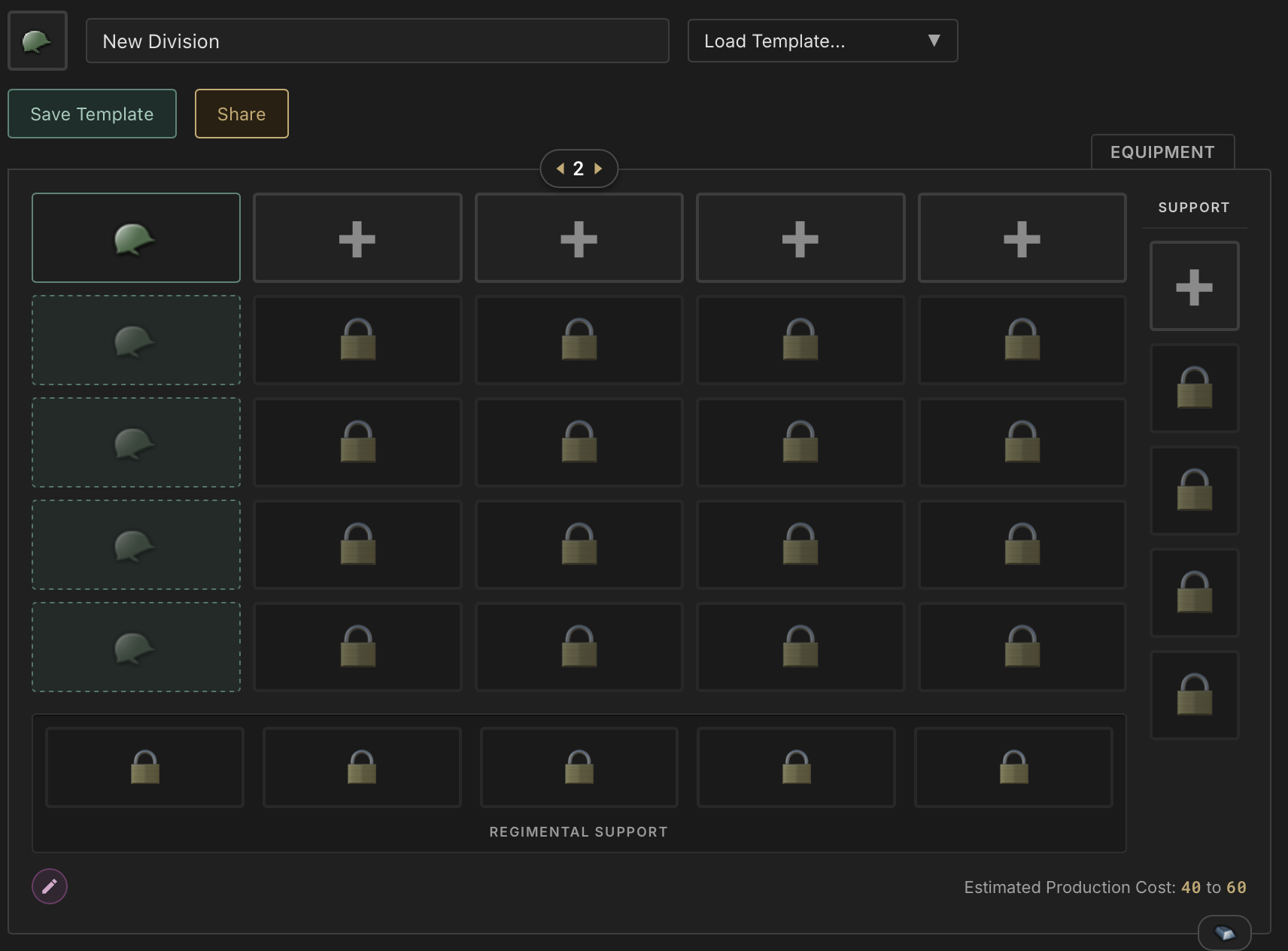
After adding a battalion, the empty cells beneath it now become repeat targets. Click the row you want to reach and the designer fills every open slot down to it with that battalion. Click outside the column and the targets disappear.
The Research menu also now carries a new All research & projects preset. One click selects every technology and Special Project, giving you immediate access to every unit, chassis, hull, airframe, and module when you want to experiment without research restrictions. It's a small addition, but it removes all the clicking previously needed to unlock all trees.
What's Next
With the Coming Ashore release, Phase 2 of Hoidesigner is complete. I'm proud of what was built so far and how much the tool is helping players plan their military campaigns in HOI4.
We left the shore as a land warfare planner. We return with a Ship Designer, a rebuilt Division Designer with Regimental Support, an Aircraft Designer, MIOs, and Command Spirits across every branch. Hoidesigner now offers a complete design experience for planning your military across land, sea, and air.
The next phase will carry us through the rest of the year, and it will be an exciting one. We didn't come ashore just to hold the beach. I won't go into too much detail in this devlog, but I'll share more in a dedicated post over the next couple of weeks.
Join the Discord to follow the journey and see what's in store for the next phase of the tool.
Until next time!